
Pati
v0.4.4.2 is out
A desktop companion that lives on your screen. It walks along the taskbar and the top edges of your windows, falls off the edge and flies when you throw it. It talks with a local AI on your own computer, remembers you and gets things done when you ask. The old desktop assistants, rebuilt for today: no ads, no tracking, and the AI runs on your machine.

Lives on your screen, talks with you.
Lives on your desktop
A small character above every window. It walks along the taskbar and window edges and falls off them; pick it up and throw it, and it dusts itself off after landing.
Local AI
Connects to llama.cpp, Ollama or LM Studio on your computer and looks on the usual ports by itself. Each character has its own personality.
Remembers you
It keeps a brain: your daily chats, a summary of each day and the facts you shared, as plain Markdown in a folder. Open it in Obsidian and edit what it knows.
Gets things done
"Open Spotify", "turn the volume down", "take a note", "how's my battery?". It asks before acting, and you can say "always".
Talk by voice
Press a shortcut and speak: whisper.cpp turns it into text on your computer, and the answer is read aloud.
Looks at your screen
Say "explain this error": it asks first, takes one screenshot and shows it to a vision model. The image is never saved.
Speaks up when it matters
A short morning briefing, a nudge after 90 minutes without a break, a word when it is very late. Quiet in focus mode.
Make it yours
Add your own character with a folder of PNG frames and one JSON file. Turkish and English, sized from 50% to 200%.
Technical summary.
- Version
- v0.4.4.2
- Platform
- Windows 10 and 11
- Licence
- MIT — open source
- Stack
- Electron · TypeScript
- AI
- Local: llama.cpp, Ollama, LM Studio
- Price
- Free
What we deliberately left out.
A project without an out-of-scope list is a project with infinite scope. Keeping this list short is a decision — quietly growing it is not.
- Cloud AI and accounts
- Telemetry and ads
- Shipping an AI model of our own (you pick and install the model)
- Mac and Linux versions (for now)
From the devlog
All entries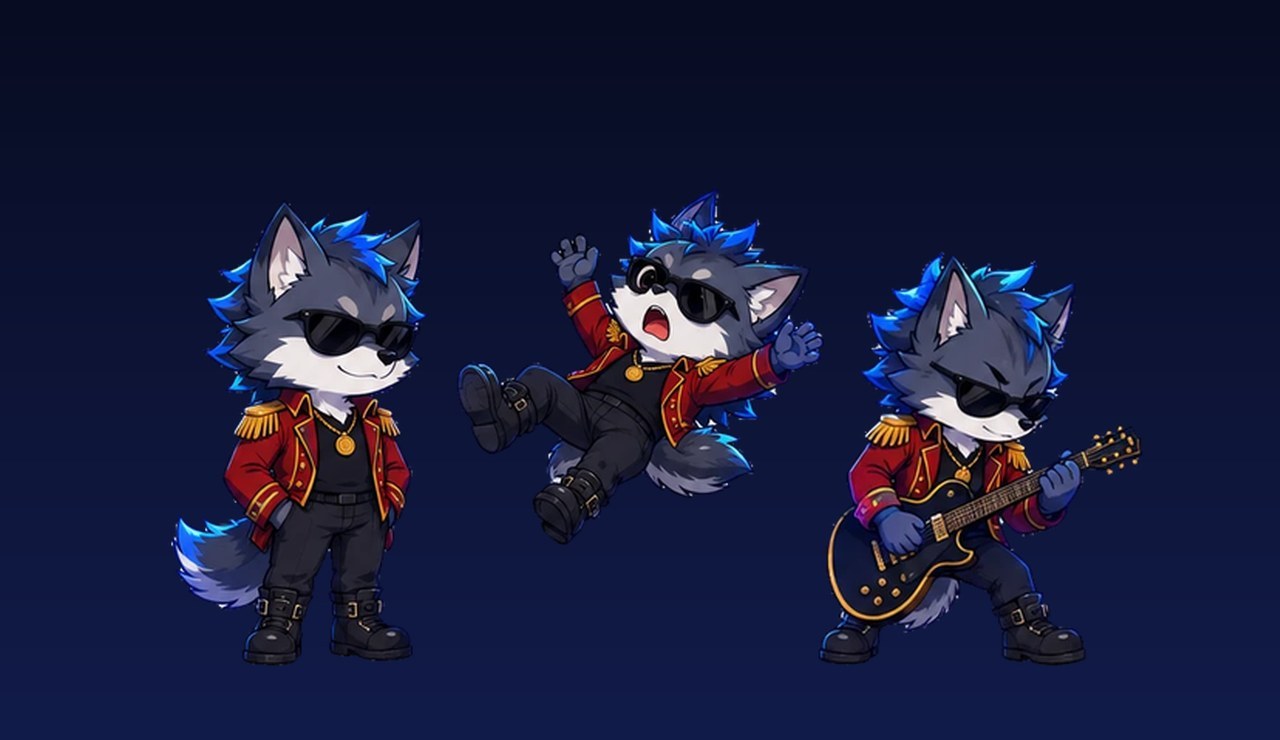
Pati 0.4.2: the sunglasses stay dark when you pick him up
Picked up by the scruff, Tungarix's sunglasses turned see-through and showed his eyes. In 0.4.2 the lenses are dark like in every other pose.
Pati is out: a desktop companion with a local AI that lives on your screen
Aktenak's fourth tool arrives with its own product page: a desktop companion that walks on your windows, talks with a local AI and remembers you.
Installing
The installer is not code-signed, so Windows SmartScreen asks "Run anyway" the first time. The code is fully open — you can read what it does before downloading. Chat needs a local AI server on your computer (a model of about 8-9B parameters is a good start on an 8 GB GPU); voice needs whisper.cpp. Tools that reach outside the app (clipboard, weather, Wikipedia) stay off until you turn them on.
Install steps and source code →